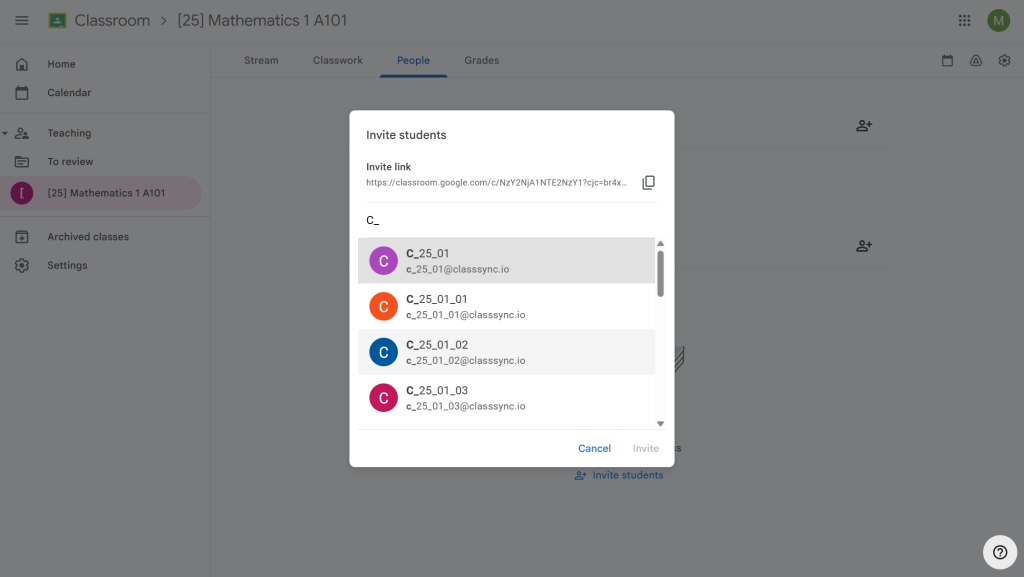
class groups for both Microsoft Teams and Google Classroom
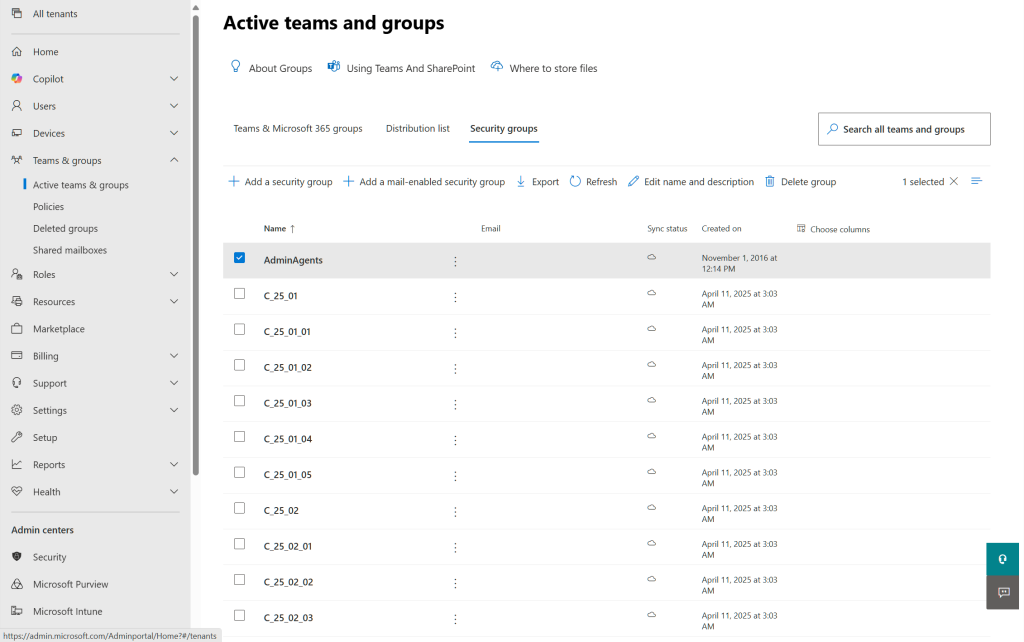
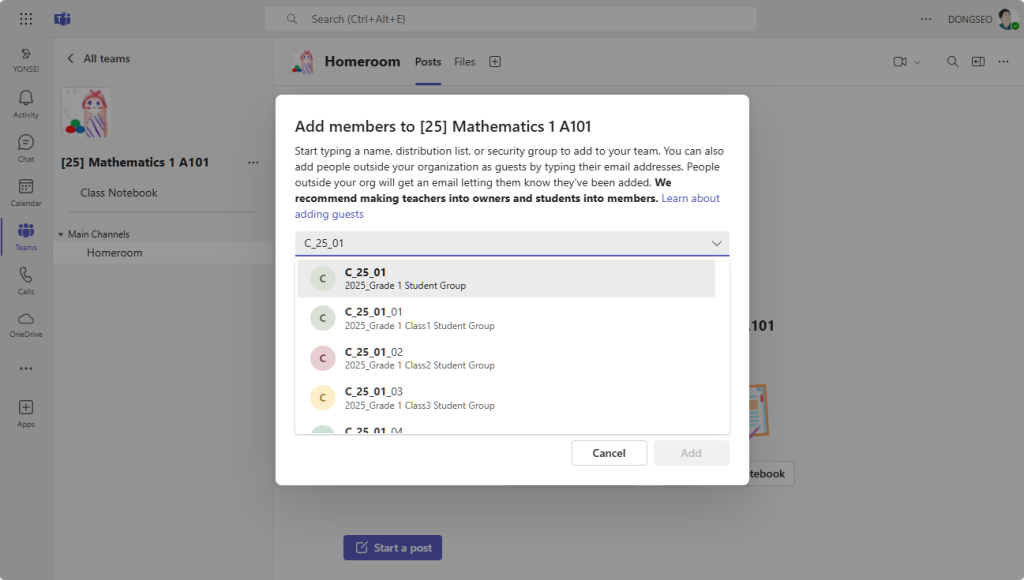
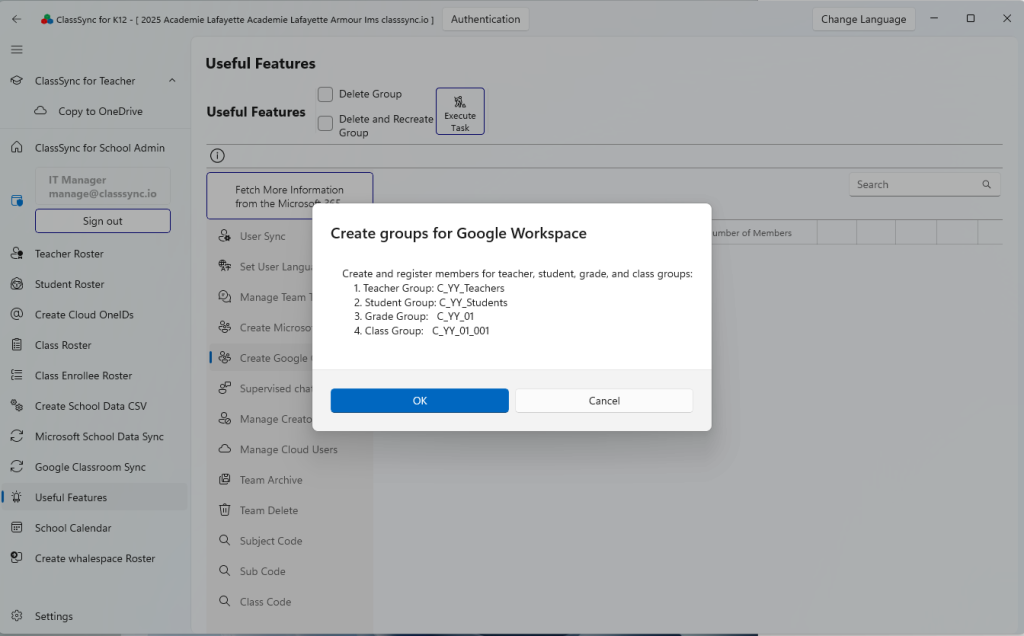
ClassSync automatically creates class-based groups in Google Workspace and Microsoft 365 using teacher and student rosters. These groups can then be selected in Google Classroom and Microsoft Teams to quickly add users, streamlining collaboration and management for educational institutions.
1. Microsoft 365
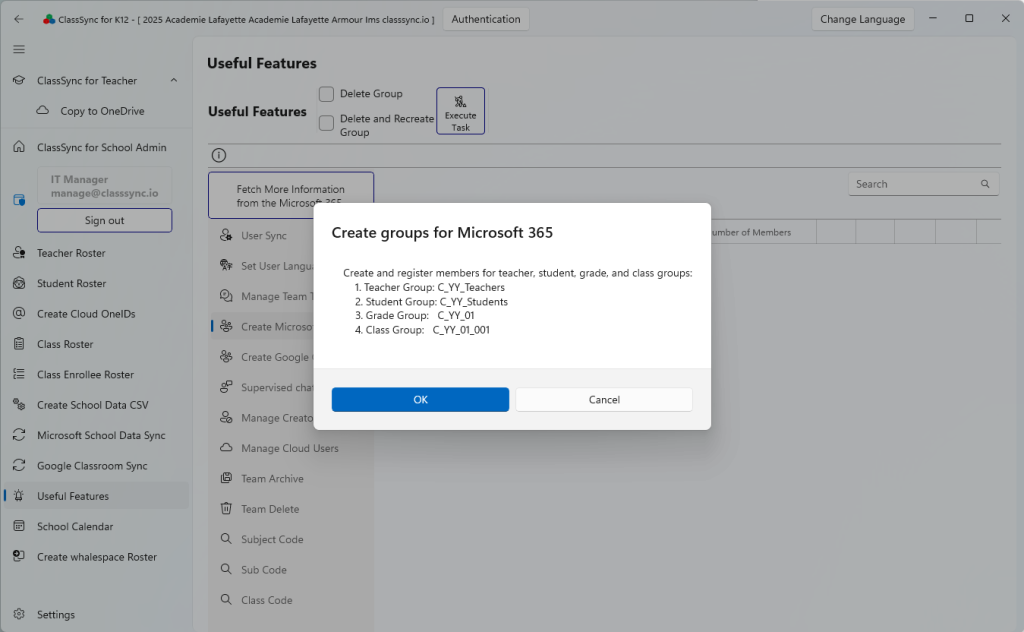
1-1. Teams & Groups > Security groups
1-2. Teams > Add Members
2. Google Workspace
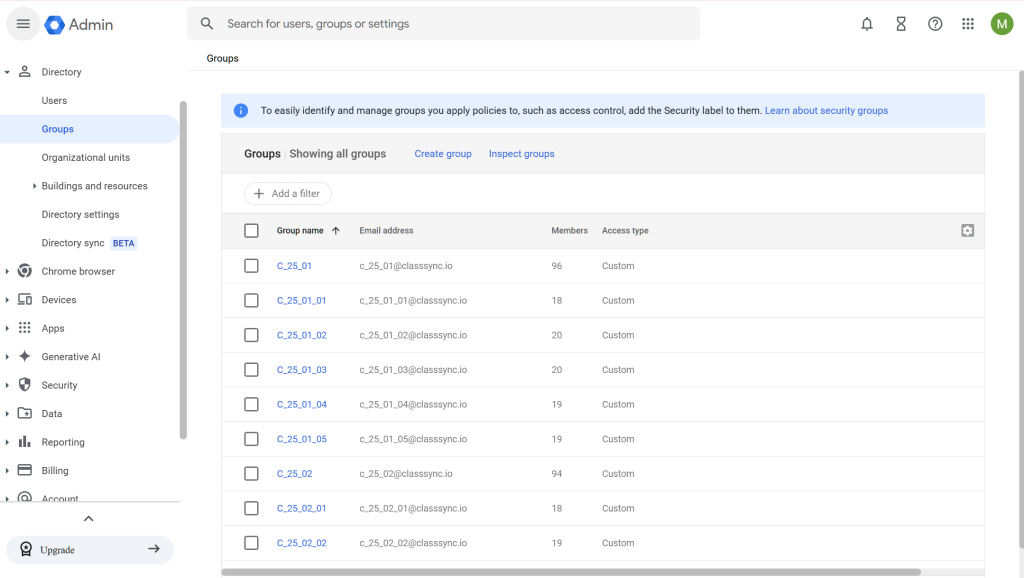
2-1. Directory > Groups
2-2. Classroom > Invite Students