
Creating a learning environment that enriches students’ experiences
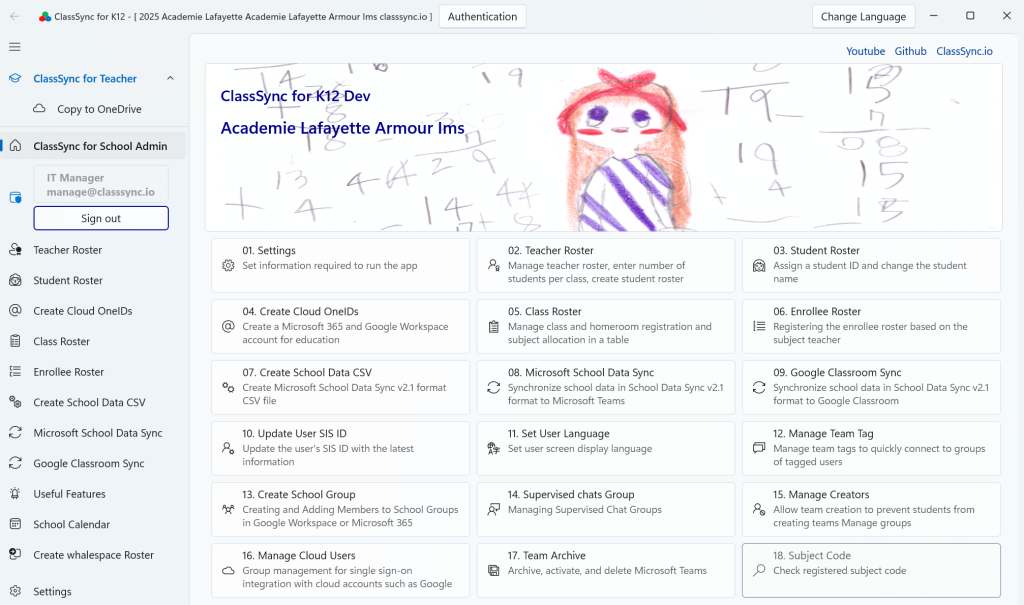
ClassSync is a unified management solution for educational Google Workspace and Microsoft 365. It automatically creates class-based groups and enables easy user additions in Google Classroom and Microsoft Teams. With support for SDS integration through School Data Sync CSV v2.1 file generation and automated class creation via Google Classroom Sync, managing educational data becomes simpler than ever.
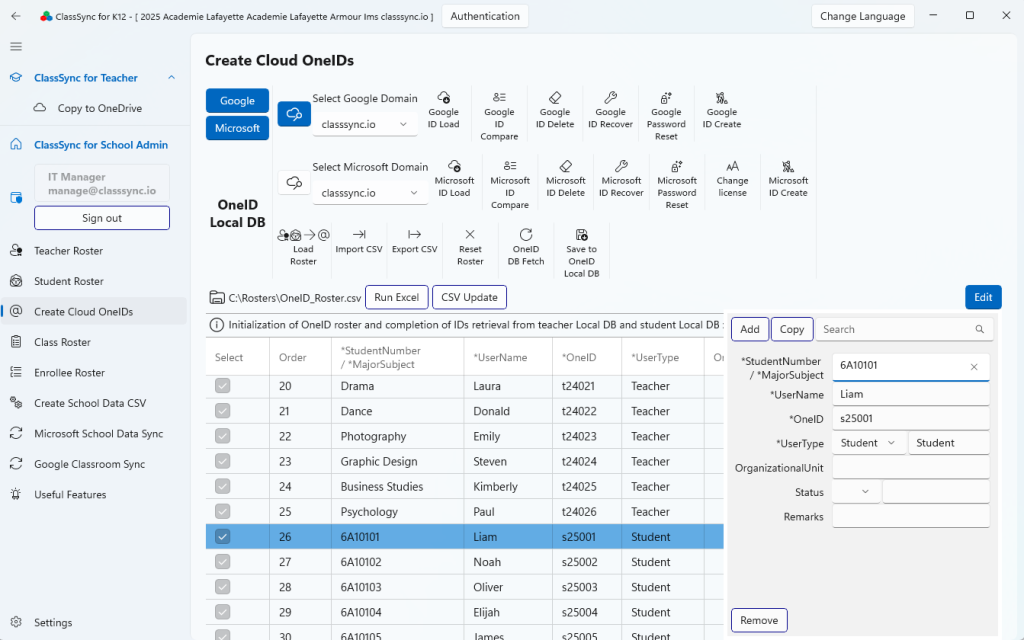
Create Cloud OneIDs : Manage Google Workspace and Microsoft 365 Education Accounts Using a Single School ID Data Source
App Access & Role-Based Features
Users with Global Administrator permissions and a teacher license can:
- Complete the initial setup of ClassSync
- Register and manage school domain settings
- Manage user accounts and group provisioning
- Generate and upload SDS CSV v2.1 files
- Manage integration with Microsoft Teams and Google Classroom
Users with User Administrator permissions and a teacher license can:
- Complete the initial setup of ClassSync
- Register and manage school domain settings (requires global administrator approval)
- Manage user accounts
All users can:
- No initial setup is required to use the file copy feature
- ClassSync provides a file transfer feature for teachers and students who are moving to a different school. This allows them to securely copy and transfer their teaching materials, learning resources, and class-related files to their new school environment, ensuring continuity and minimizing setup time.
Install the ClassSync app
